
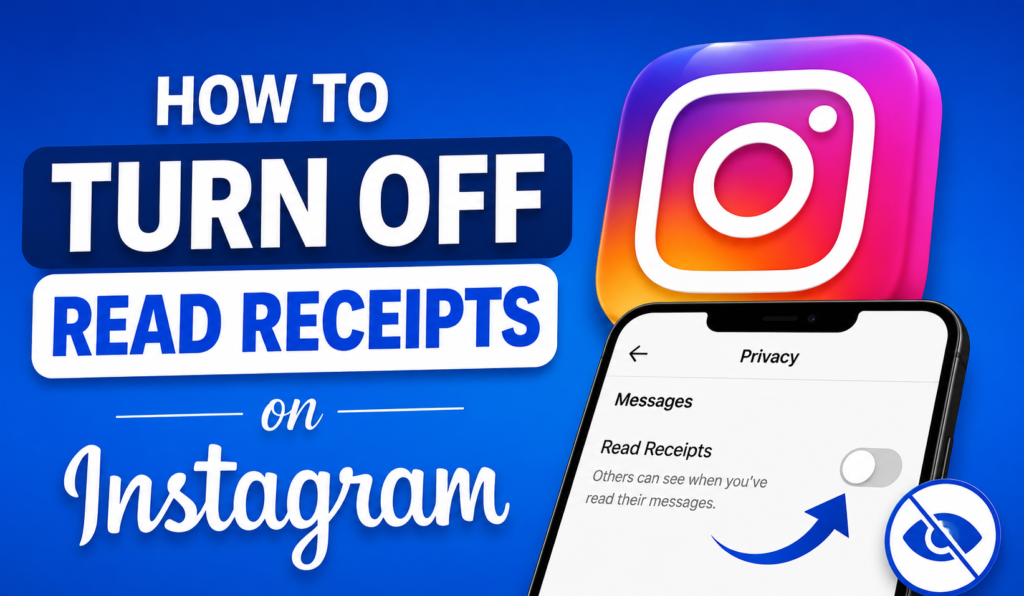
Have you ever sent a message on Instagram and instantly regretted it because the other person saw “Seen” pop up right away? Or maybe you just want a little privacy when you’re scrolling through your DMs. Either way, you’re not alone. A lot of people want to know how to turn off read receipts on Instagram, and the good news is that it’s easier than you think.
In this guide, I’ll walk you through everything you need to know. We’ll cover the settings, the limits, and a few tricks that Instagram doesn’t exactly advertise. By the end, you’ll know exactly how to keep your message activity private.
What Are Read Receipts on Instagram?
Read receipts are those little notifications that show someone their message has been seen. On Instagram, this usually shows up as “Seen” under your last message, sometimes with a timestamp. It’s a small feature, but it can create a lot of pressure. Nobody likes feeling like they have to respond the second they open a chat.
This feature exists to make conversations feel more real-time, kind of like texting. But not everyone wants that. Some people prefer to read messages on their own schedule without the other person knowing exactly when they checked in. Disabling read receipts can help keep your message activity more private.
Why People Want to Disable This Feature
There are plenty of reasons someone might want to hide this activity. Maybe you’re busy at work and don’t want people expecting instant replies. Maybe you’re taking a mental health break from constant notifications. Or maybe you just like your privacy and don’t think anyone needs to know when you’re online or reading a message.
Whatever your reason, Instagram gives you some control over this, though it’s not as flexible as apps like WhatsApp. Let’s get into the actual steps.
How to Turn Off Read Receipts on Instagram
If you searched for how to turn off read receipts on Instagram, here’s the direct answer. Instagram calls this setting “Show Activity Status,” and it controls whether people can see when you’ve read their messages, when you were last active, and if you’re currently online.
Step-by-Step Instructions for iPhone and Android
Follow these steps on your phone:
- Open the Instagram app and go to your profile.
- Tap the three horizontal lines in the top right corner to open the menu.
- Select Settings and Privacy.
- Scroll down and tap on Messages and Story Replies.
- Find the setting called “Show Activity Status” and adjust it as needed.
- Toggle the switch off.
That’s it. Once you turn this off, people won’t see when you’ve read their messages anymore. It really is a simple process once you know where to look.
Step-by-Step Instructions for Desktop Users
If you’re using Instagram on a computer, the process is a little different since the app is more limited on desktop. Here’s what you can do:
- Log into Instagram through your browser.
- Click your profile picture in the top right corner.
- Select Settings.
- Go to Privacy and Security.
- Find the activity status option and switch it off.
Keep in mind that Instagram’s desktop version doesn’t always have every feature that the mobile app has, so if you don’t see this option right away, it’s best to switch to your phone for the most reliable results.
How to Turn Off Seen on Instagram
A lot of people phrase this question differently, asking how to turn off seen on Instagram instead of read receipts. It’s the same setting we just covered, just a different way of describing it. Once you disable “Show Activity Status,” the “Seen” indicator disappears from your direct messages too.
Does This Work for Group Chats?
This is where things get a little tricky. In group chats, turning off your activity status stops your name from showing individually, but Instagram might still show a general “Seen by” list to everyone in the group. This means people in the chat could still figure out who’s read the message, especially in smaller groups.
If privacy in group chats matters a lot to you, it might help to mute notifications or simply avoid opening the group chat until you’re ready to fully engage with the conversation.
What Happens to Story Replies
Turning off your seen status also affects story replies. If someone sends you a reply to your story, they won’t be able to tell exactly when you viewed it. This is a nice bonus for people who want more privacy across the entire app, not just in regular chats.
How to Hide Last Seen on Instagram
Another common question is how to hide last seen on Instagram. This refers to the timestamp that shows when you were last active on the app. Thankfully, this is controlled by the exact same setting we’ve already talked about.
When you turn off “Show Activity Status,” you’re doing two things at once:
- Hiding when you last read a message
- Hiding when you were last online
Why Hiding Last Seen Matters
Some people don’t mind others knowing they’ve read a message, but they really don’t want people knowing exactly when they were last online. This can help you avoid awkward questions like “I saw you were online, why didn’t you reply?” It gives you breathing room to respond whenever you’re actually ready, not when someone expects you to.
A Trade-Off You Should Know About
Here’s something important. Instagram works on a mutual basis for this feature. If you turn off your activity status, you also won’t be able to see when other people are active or when they’ve read your messages. It’s a two-way street, so keep that in mind before deciding.
What Happens When You Turn Off Read Receipts in Instagram Messages
Once you’ve made the change, your Instagram messages will behave a bit differently.Here’s an easy overview of what changes and what remains the same.
| Feature | Before Turning Off | After Turning Off |
| Seen status on messages | Visible to others | Hidden from others |
| Last active time | Visible to others | Hidden from others |
| Online green dot | Shown | Hidden |
| Your ability to see others’ status | Available | Removed |
| Message delivery | Still works normally | Still works normally |
As you can see, messages still get delivered just fine. You’re only hiding the extra activity details, not blocking anyone or limiting how the app functions.
Advantages and Disadvantages of Disabling Read Receipts
Before you decide, it helps to weigh the good and the bad. Here’s a simple table to help you think it through.
| Pros | Cons |
| More privacy over your online activity | You lose the ability to see others’ activity too |
| Less pressure to reply instantly | Group chats may still reveal some activity |
| Reduces anxiety around messaging | People may assume you’re ignoring them |
| Helps manage screen time boundaries | Some close friends may find it less personal |
Honestly, for most people, the pros outweigh the cons. It really comes down to how much you value privacy versus staying connected in real-time.
Common Problems When Turning Off Read Receipts
Sometimes things don’t go as smoothly as expected. Let’s go over a few issues people run into.
The Setting Won’t Save
If you toggle the switch off and it doesn’t seem to stick, try closing the app completely and reopening it. Sometimes Instagram just needs a refresh to apply the setting properly. Updating the app to the latest version can also fix this.
It Still Shows You as Active
If people can still see you online after turning this off, double-check that you toggled the correct setting. It’s easy to accidentally switch something else in the privacy menu. Go back into Messages and Story Replies and confirm the toggle is actually off.
Confusion With Close Friends List
Some users think this setting is connected to their Close Friends list on stories, but it’s not. Read receipts and activity status are completely separate from who can see your story. Don’t mix these two features up when adjusting your privacy.
Tips for Managing Instagram Messages Privacy
Turning off read receipts is just one part of managing your privacy on the app. Here are a few extra tips that can help you feel more in control.
Mute Conversations You Don’t Want to Check Constantly
If certain chats stress you out, muting them stops notifications without you having to leave the conversation. This pairs nicely with turning off your activity status since you won’t feel rushed to respond.
Restrict Instead of Block When Needed
If someone is bothering you, Instagram’s restrict feature limits their ability to see when you’re active, without letting them know they’ve been restricted. It’s a subtler option than blocking someone outright.
Review Your Privacy Settings Regularly
Instagram updates its app often, and sometimes settings can reset after major updates. It’s smart to check your privacy settings every few months just to make sure everything is still set the way you want it.
Frequently Asked Questions
Can I Turn Off Read Receipts for Just One Person?
No, Instagram doesn’t allow you to customize this setting for individual users. When you turn it off, it applies to all your chats at once.
Will People Know I Turned Off Read Receipts?
No, there’s no notification telling anyone you’ve changed this setting. They’ll simply notice that “Seen” no longer appears under their messages.
Does This Affect Instagram Stories Views?
No, this setting only affects direct messages and story replies. It does not hide the people who have viewed your story.
Can I Turn It Back On Later?
Yes, you can switch the setting back on anytime by following the same steps and toggling it back to on.
Final Thoughts
Learning how to turn off read receipts on Instagram really comes down to a few simple taps in your settings. Whether you’re trying to figure out how to turn off seen on Instagram, looking for a way on how to hide last seen on Instagram, or just want more privacy in your Instagram messages, the “Show Activity Status” toggle handles it all in one place.
Just remember, it works both ways. Once you hide your own activity, you lose visibility into everyone else’s too. For a lot of people, that trade-off is well worth the extra peace of mind. Give it a try and see how it changes the way you use the app.